Restore Old Photos Online with AI — Photo Restoration
Bring damaged photos back to life in minutes. Our AI analyzes every pixel of your image to remove scratches, cracks, and stains, reconstruct missing areas, restore natural colors, and enhance sharpness. No software to download, no editing skills required — upload a photo and get a restored result right in your browser. Faces are preserved without distortion, so the people in your photos remain themselves.
Restore a Photo NowHow It Works
Upload Your Photo
Go to the Photo Restoration page and upload a damaged image in JPG or PNG format. You can use a flatbed scan of an old print, a phone snapshot of a paper photo, or a saved image from a family album.
AI Restores the Image
The algorithm detects every defect on the photo, removes damage, fills in missing areas, boosts resolution, and corrects colors. Processing takes 1 to 3 minutes depending on image complexity.
Download the Result
The restored photo appears on the page in high-quality PNG format. Compare before and after, download to your device, or share with family and friends.
What Our AI Can Fix
- Scratches and scuffs. Fine and deep scratches from handling, nail marks, and surface abrasions. The AI reconstructs the image underneath, preserving texture and fine detail.
- Cracks and creases. Paper cracks, fold lines, and edge tears. The algorithm fills gaps so seamlessly that damage boundaries become invisible.
- Water damage. Stains from water, tea, ink, or other liquids. Whether the photo was caught in rain or stored in a damp basement, the AI carefully removes discoloration.
- Mold and mildew. Dark and green spots from long-term storage in humid conditions. Even when mold covers faces or critical details, the algorithm restores the underlying image.
- Fading. Sun-bleached photos that have lost contrast and vibrancy. The AI returns original brightness, depth, and color saturation.
- Yellowing. Age-related yellowing of photographic paper. The algorithm neutralizes the yellow cast and brings back true-to-life tones.
- Torn edges. Ripped corners, missing borders, and holes in the paper. The AI extends the image by generating plausible content based on surrounding context.
- Low resolution and blur. Small, blurry, or out-of-focus images. The super-resolution model sharpens details — facial features, fabric textures, and background elements become crisp and clear.
How the Technology Works
Photo restoration runs through several stages, each powered by a specialized neural network model.
Damage Detection
The neural network scans the entire image and builds a defect map — pinpointing the location of scratches, cracks, stains, and areas where the image is lost. This allows the system to process only damaged zones without altering intact areas.
Inpainting
For each damaged region, the algorithm generates a fill based on surrounding context. When part of a face is lost, the model accounts for facial symmetry; when the background is damaged, it analyzes texture and perspective to produce a coherent reconstruction.
Super-Resolution
A dedicated upscaling model enhances detail and sharpness, recovering textures lost to low resolution or poor scanning. Faces are processed by a specialized face-restoration model for maximum natural appearance.
Color Correction
The final stage normalizes the color balance, removes yellowing, restores contrast, and can colorize black-and-white photos with realistic tones for skin, clothing, and environment.
When You Need Photo Restoration
- Family archives. Old photographs of parents and grandparents deteriorate over time. Digital restoration preserves your family history for generations to come.
- Genealogy research. Building a family tree requires clear photos of ancestors. Restored images can be included in genealogy books and heritage projects.
- Museums and archives. Digitize and restore historical photographs for exhibitions, academic publications, and online catalogs. AI helps bring fragile prints to exhibition-ready quality.
- Memorials and celebrations. Anniversaries, weddings, and memorial services — restored photos can be framed, printed on canvas, or featured in tribute slideshows.
- Printing old photos. High-quality printing requires high-resolution files. The AI upscales small vintage prints so they can be reproduced at A4 size and larger without losing clarity.
- Social media sharing. Share a restored vintage photo with family on messaging apps or post it online — after restoration, images look sharp and vibrant on any screen.
Tips Before Uploading
Scan at 300+ DPI
If you have a flatbed scanner, use at least 300 DPI — 600 DPI is even better. The more detail the scanner captures, the more information the AI has to work with. For small prints (2.5 x 3.5 in), 600 DPI is recommended.
Avoid Glare When Photographing
If you are taking a phone photo of a print, shoot in diffused light — no direct sunlight or flash. Glare creates bright white spots that the AI may interpret as damage and attempt to fill in.
Crop Unnecessary Borders
Remove the table surface, album frame, or other surroundings from the image before uploading. The more of the frame the actual photo occupies, the more accurately the AI performs restoration.
Use PNG for Best Quality
PNG preserves your image without compression loss. If you are scanning a photo specifically for restoration, save it as PNG so the neural network receives maximum detail.
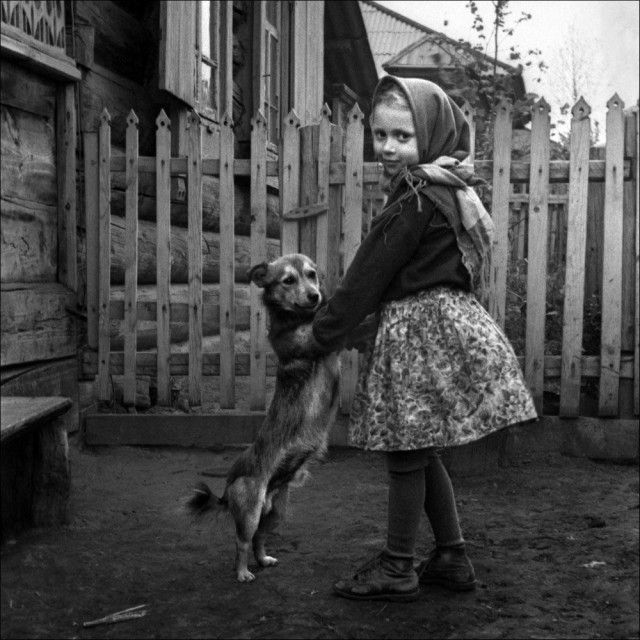
Restoration Example
Frequently Asked Questions
How much does photo restoration cost?
The service uses credit-based pricing with no subscription required. Credits can be purchased as needed on the Pricing page — each restoration costs a set number of credits.
Can heavily damaged photos be fixed?
Yes. The AI handles scratches, cracks, stains, water damage, and torn edges effectively. The clearer the face in the original image, the better the result. Severely damaged areas may be reconstructed approximately, but overall quality still improves significantly.
Does it colorize black-and-white photos?
Yes. The algorithm can add realistic color to grayscale images — selecting natural tones for skin, clothing, and backgrounds. While exact color matching with the original scene is not guaranteed, results look convincing and lifelike.
Do faces change during restoration?
No. Our AI carefully preserves facial features — it does not replace or hallucinate appearances. The person in the photo remains fully recognizable after restoration.
What is the maximum output resolution?
The AI upscales the original image up to 4x. For example, a 600 x 400 pixel scan can produce a result up to 2400 x 1600 pixels. For the best outcome, upload scans at 300 DPI or higher.
What format is the result?
Restored photos are delivered in PNG format at full quality — sharp and free of compression artifacts, ready for printing or sharing.
How long does processing take?
Most photos are restored in 1 to 3 minutes. Processing time depends on image dimensions and the severity of damage. One restoration costs 1 credits.
Bring Your Old Photos Back to Life
Upload a damaged photo and get a restored version in minutes. Credit-based pricing, no subscription required.
Restore a Photo Now